
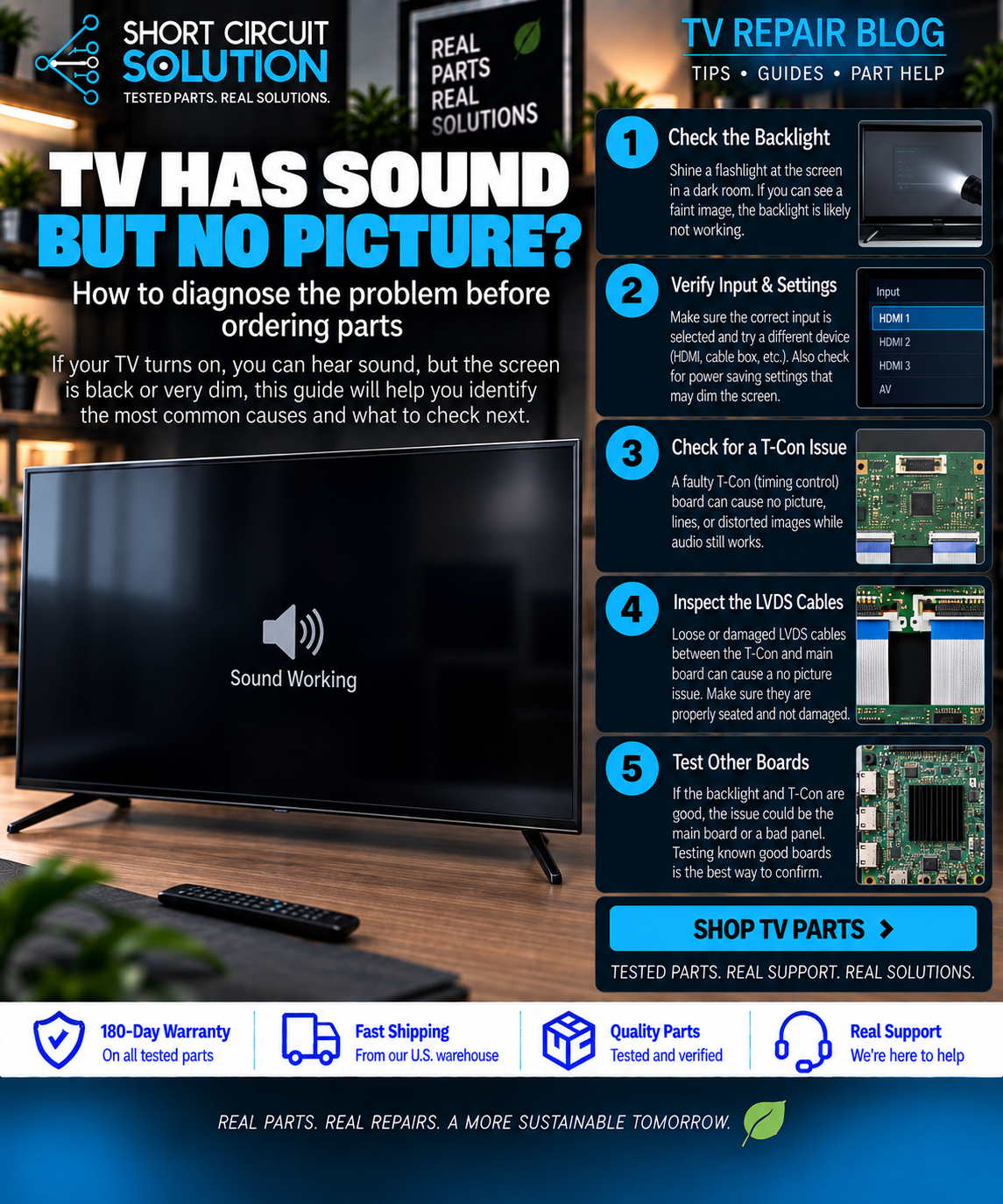

TV Has Sound But No Picture? Start Here
If your TV turns on and you can hear normal audio but the screen is black, do not assume one particular board has failed. Sound with no picture can be caused by the LED backlights, backlight driver circuitry, T-Con board, main board, power supply circuitry, ribbon connections, or the display panel itself.
Step 1: Perform the Flashlight Test
Turn the TV on in a dark room and shine a bright flashlight across the screen at an angle. Look closely for a faint menu, moving image, or picture.
- Faint picture visible: the LCD is producing an image, so the backlight system, LED driver, or related power circuitry becomes a strong suspect.
- No faint picture: continue troubleshooting the video signal path, including the T-Con, main board, panel connections, and panel.
Step 2: Rule Out the Easy Causes
Try another HDMI port or input source, restart the TV, and disconnect external devices. A source or HDMI problem can sometimes look like a display failure.
Step 3: Understand the Main Areas Involved
Main Board
The main board processes video and audio, controls inputs, and sends the video signal toward the display circuitry. Main-board faults can cause no video, HDMI problems, startup issues, or intermittent operation, but sound with no picture alone does not prove the main board is bad.
T-Con Board
The T-Con controls timing and signals going to the LCD panel. A T-Con fault can cause a blank display, half-screen image, lines, distorted colors, or other picture problems. Some TVs do not use a separate replaceable T-Con.
Power Supply / LED Driver
A TV can have enough power to turn on and produce sound while still having a failure affecting the backlights or display circuits. If the flashlight test reveals a faint image, this area deserves close attention.
LED Backlights and Display Panel
Failed LED strips can leave an otherwise functioning LCD extremely dark. A failed panel can also cause no picture and is generally a much more significant repair.
Step 4: Inspect Connections Safely
With the TV unplugged, inspect accessible ribbon cables and connectors for poor seating, damage, corrosion, or contamination. Never connect or disconnect internal TV cables while the set is powered.
Do Not Order a Board From the TV Model Alone
Manufacturers frequently use multiple board revisions in the same TV model. Two boards may look nearly identical and still use different firmware or configurations. Locate the actual assembly or service part number on the original board and compare the complete number with the replacement listing.
How to Find the Correct Part Number
Common Symptoms at a Glance
- Sound + faint image with flashlight: investigate backlights, LED driver circuitry, and related power.
- Sound + completely blank screen: investigate the T-Con, main board, panel connections, power rails, and panel.
- Half screen or vertical/horizontal lines: T-Con, ribbon connections, or panel faults are important possibilities.
- TV repeatedly restarts: diagnosis can involve the main board, power supply, panel, or another circuit triggering protection.
Before Ordering a Replacement Part
- Record the complete TV model number and suffix.
- Photograph the entire original board.
- Photograph every barcode and identification label.
- Find the assembly/service part number when available.
- Compare the complete number, connectors, and board layout.
- If you are unsure, send us clear photos before ordering.
Need Help With Your Repair?
Short Circuit Solution stocks tested replacement TV boards and components backed by our 180-Day Warranty. Search using the exact part number from your original component, or contact our team if you need help identifying it.
- 📞 Call us: 901-244-7219
- 📧 Email us: assistance@shortcircuitsolution.com
- 💬 Chat with us: Visit our Contact Page
Safety note: Televisions can contain hazardous voltages and stored electrical charge even after being unplugged. Internal electrical testing should only be performed by someone qualified to do it safely.